Simple. Affordable. Powerful.

Business Management Light

Sales • Expenses • Invoicing • Built for Small Teams

A lightweight, easy-to-use business management tool for startups and small businesses — covering the essentials of sales, expenses, invoicing, and basic inventory, without the complexity or cost of a full ERP.

0min Setup Time
0 Training Needed
0% Cloud-Based
Scroll

A Look Inside Business Management Pro

Real screens from the workspace — from the home screen and POS billing to sales, purchases, partners and accounts.
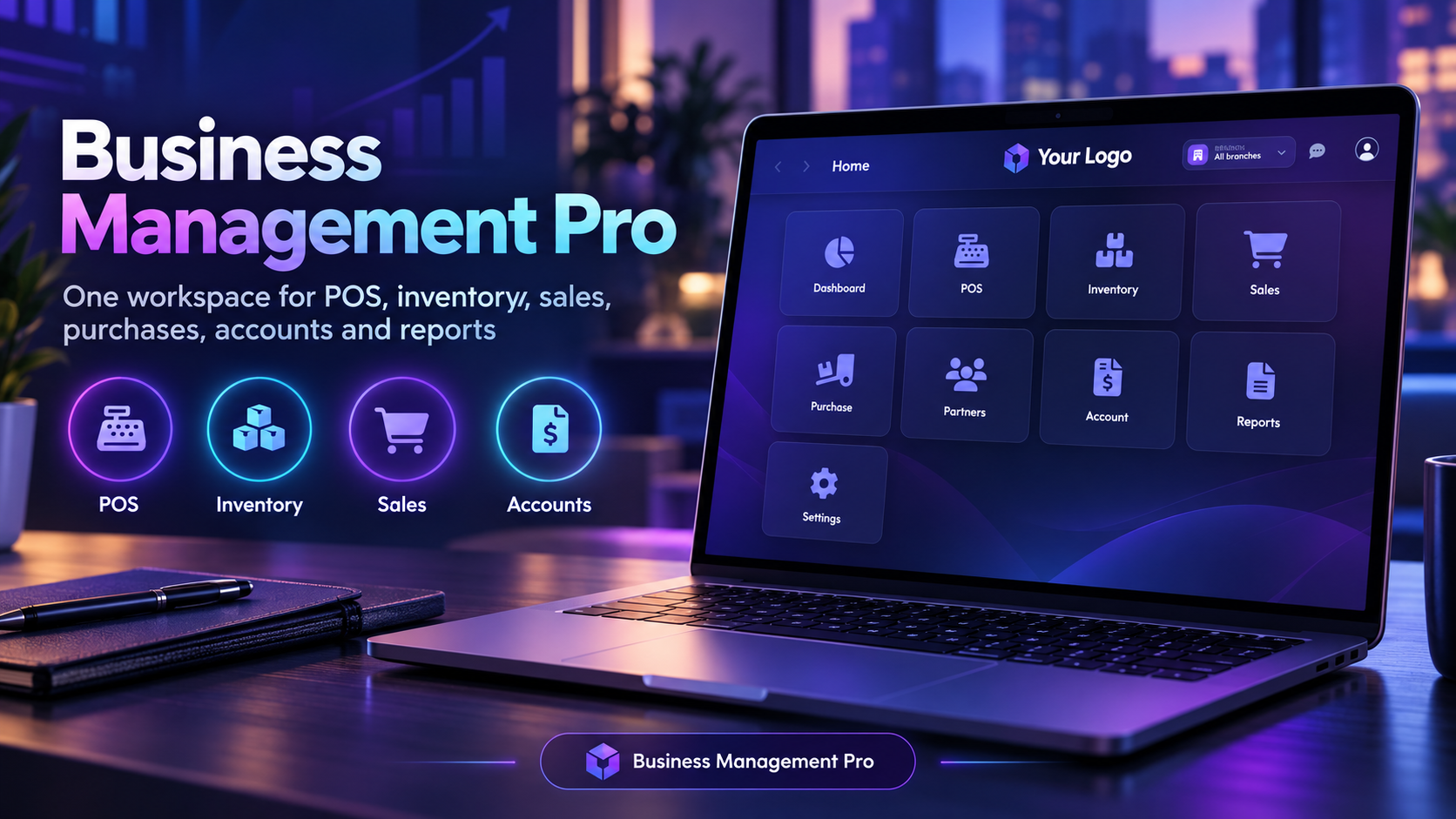
Business Management Pro home screen with tiles for Dashboard, POS, Inventory, Sales, Purchase, Partners, Account, Reports and Settings, and a branch selector

One Home Screen for Every Module

Every part of the business sits on one home screen: Dashboard, POS, Inventory, Sales, Purchase, Partners, Accounts, Reports and Settings. A branch selector at the top lets you switch between locations without leaving the workspace.
Home POS Inventory Sales Accounts
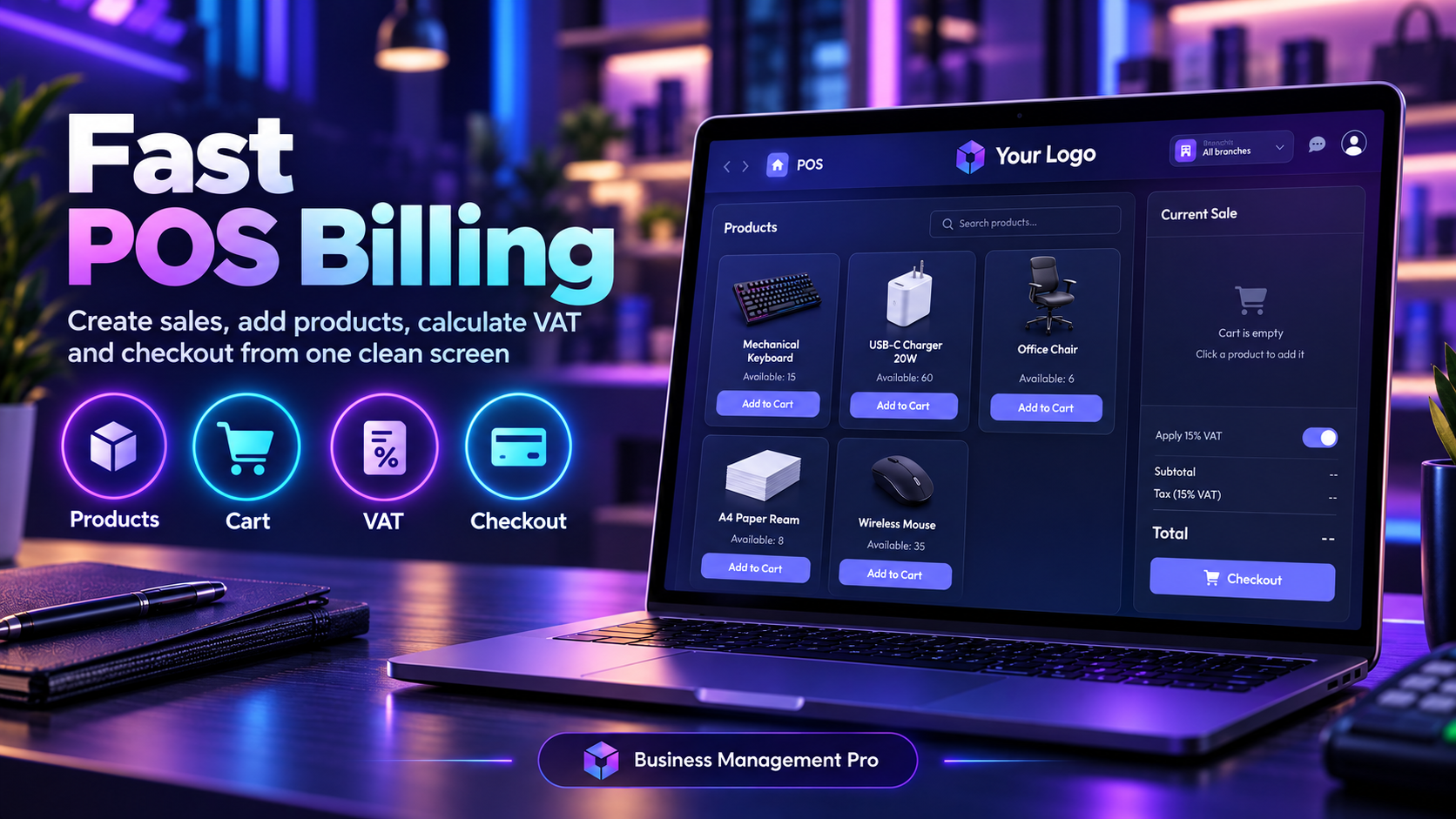
POS billing screen with product cards showing availability and Add to Cart buttons, a current sale panel with 15% VAT toggle, subtotal, tax and checkout

Fast POS Billing

Ring up a sale from one clean screen. Tap a product card to add it to the cart, see available stock on every item, apply 15% VAT with a single toggle, and check out with the subtotal, tax and total updated as you go.
Products Cart 15% VAT Checkout
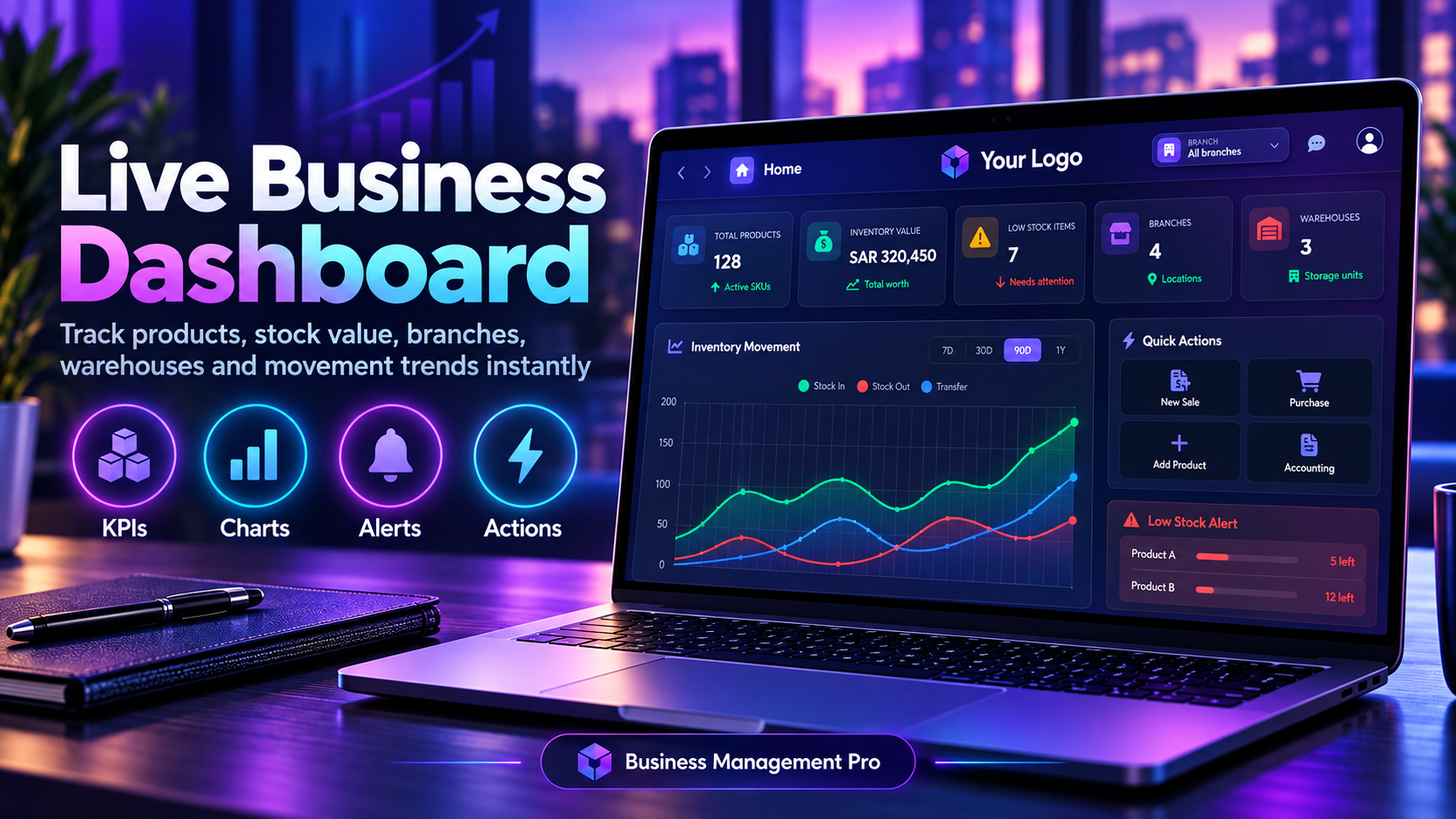
Live business dashboard with KPI tiles for total products, inventory value, low stock items, branches and warehouses, an inventory movement chart with 7D, 30D, 90D and 1Y filters, quick actions and low stock alerts

Live Business Dashboard

Track the health of the business at a glance: total products, total inventory value, low-stock items, branches and warehouses. The inventory movement chart compares stock in, stock out and transfers across 7, 30, 90 days or a year, with quick actions and low-stock alerts beside it.
KPIs Movement Charts Low-Stock Alerts Quick Actions
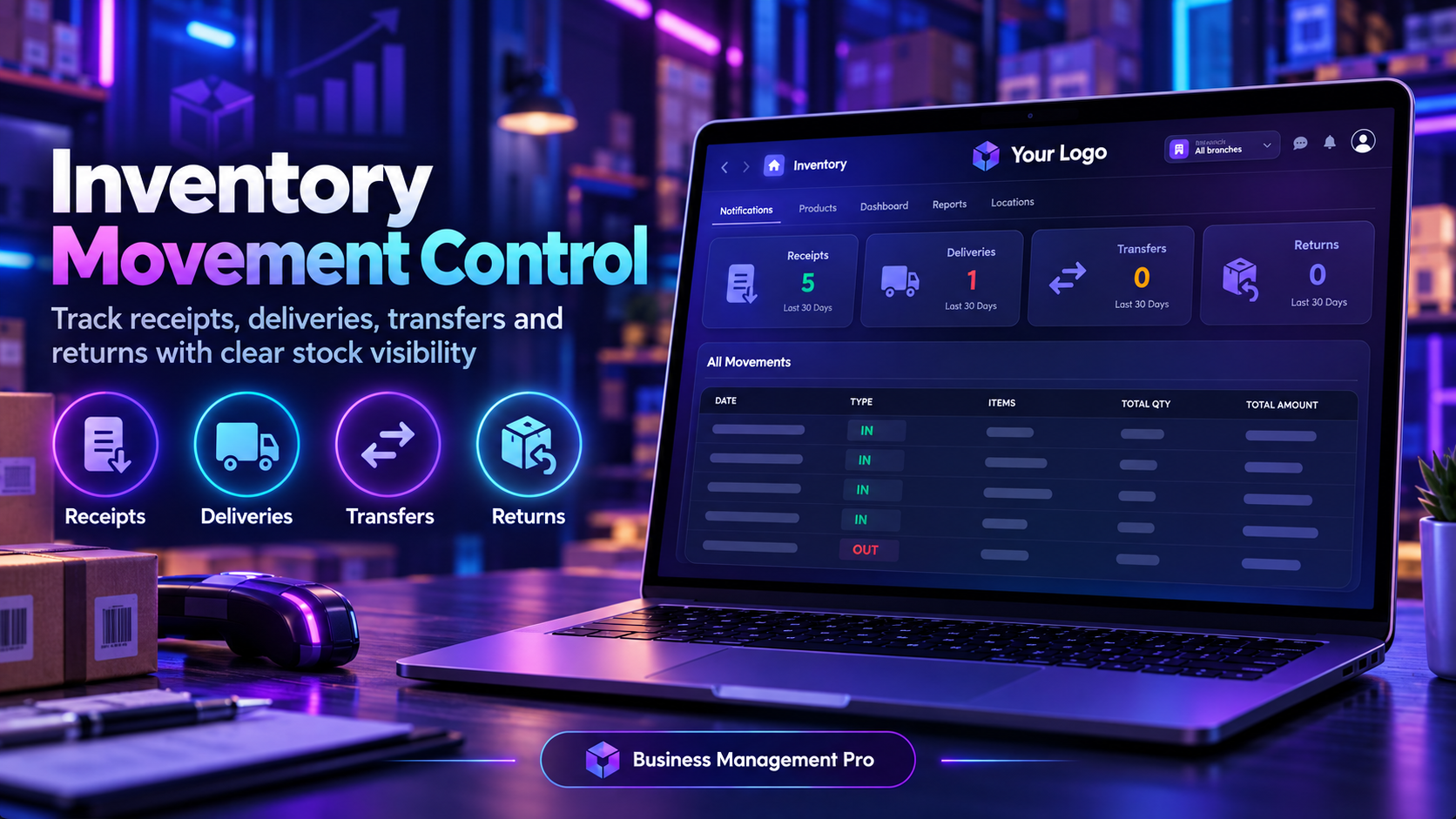
Inventory movement screen with receipts, deliveries, transfers and returns totals for the last 30 days and an all movements table with type, items, total quantity and total amount

Inventory Movement Control

Follow every receipt, delivery, transfer and return as it happens. The last 30 days are summarised at the top, and the movements table shows each IN or OUT entry with its items, total quantity and amount, so stock levels always match what moved.
Receipts Deliveries Transfers Returns
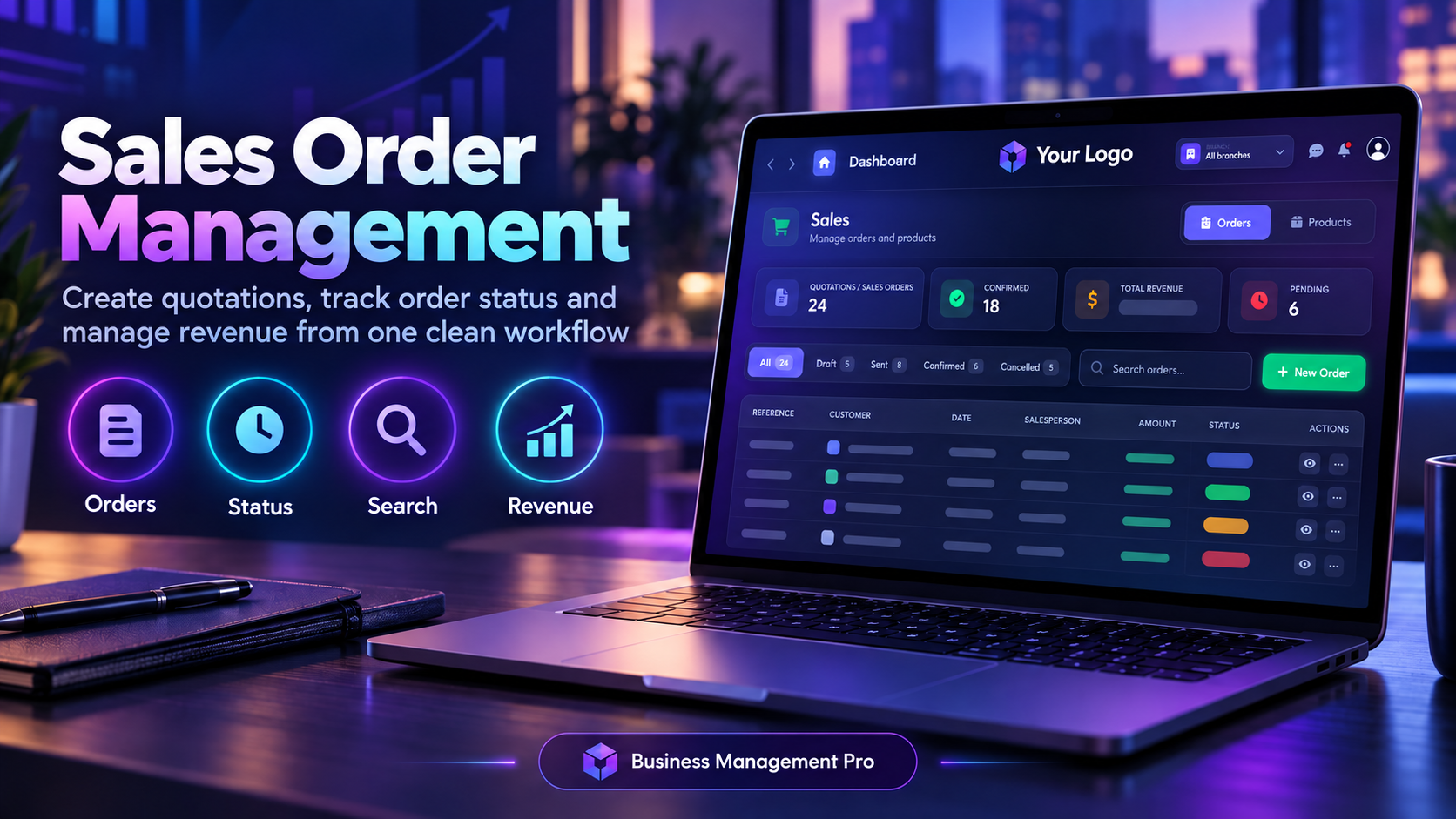
Sales screen with quotations and sales orders summary, confirmed count, total revenue, pending count, status filters for draft, sent, confirmed and cancelled, and an orders table with status colours

Sales Order Management

Create quotations and sales orders, then follow each one from draft to confirmed. Filter by status, search by customer or reference, and see total revenue and pending orders at a glance.
Orders Order Status Search Revenue
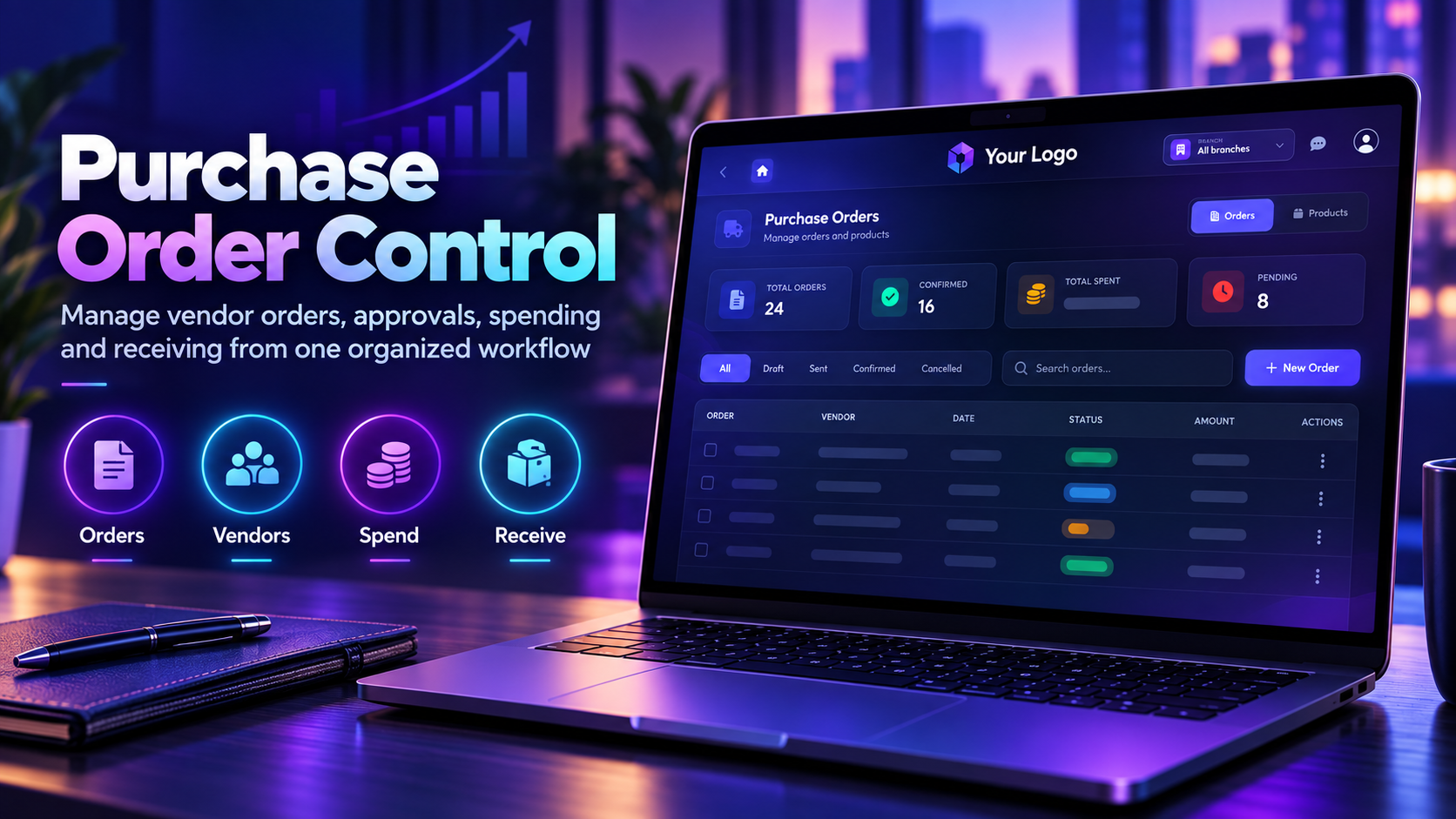
Purchase orders screen with total orders, confirmed orders, total spent and pending counts, status filters, search, New Order button and a table of vendor orders with amounts and status

Purchase Order Control

Manage vendor orders from one workflow: approve, track and receive. See total orders, confirmed orders, total spending and pending approvals at the top, then filter the list by draft, sent or confirmed status.

Orders Vendors Spend Receive
Partners screen listing customers and vendors with contact details and type badges, showing totals for partners, customers, vendors and both, and an Add Partner button

Partner & Customer Management

Keep customers, vendors and contacts in one searchable list. Each partner shows its contact details and a type badge — Customer, Vendor or Both — and the totals at the top show how your network is split.

Customers Vendors Contacts Search
Accounts and financial reports screen with total assets, total liabilities, net equity, profit this month, quick actions for journal entry, chart of accounts, trial balance and profit and loss, and a recent activity list

Accounts & Financial Reports

Keep the books in the same system as sales and purchases. Track total assets, liabilities and net equity, and see profit for the month. Jump to a new journal entry, the chart of accounts, trial balance, profit and loss, balance sheet or general ledger, and review recent activity in one list.

Assets Ledger Trial Balance Profit & Loss

Just What Small Businesses Need

A focused feature set that covers daily operations without unnecessary complexity.

Sales Management

Create quotations and sales orders, and track every deal from lead to close.

Expense Tracking

Log business expenses by category and keep a clear view of where money is going.

Simple Invoicing

Generate and send professional invoices in seconds, with payment status tracking.

Basic Inventory

Keep track of product stock levels without the overhead of a full inventory system.

Contact Management

Store customer and vendor details in one organized, searchable address book.

Simple Dashboards

A clear, at-a-glance view of sales, expenses, and outstanding payments.

Grow Without Growing Pains

Start simple, and upgrade to full Integrated Business Management whenever you're ready.

Quick to Start

Be up and running the same day — no lengthy implementation process.

01

Budget-Friendly

Priced for startups and small teams, with no hidden fees or long contracts.

02

Upgrade Path

Move to full IBM later without losing any of your existing data.

03

Works Anywhere

Access your business data from your phone, tablet, or laptop — anytime.

04

Up and Running in Days, Not Months

A lightweight rollout designed for busy small business owners.

01

Quick Consultation

We understand your basic needs in a short, focused call.

02

Account Setup

We configure your products, contacts, and invoice templates.

03

Quick Walkthrough

A short session to get your team comfortable with the essentials.

04

Start Using It

Start creating invoices and tracking sales right away.

Ready for Simpler Business Management?

Get started with Business Management Pro and run your small business with confidence.